One screen that says what to do today
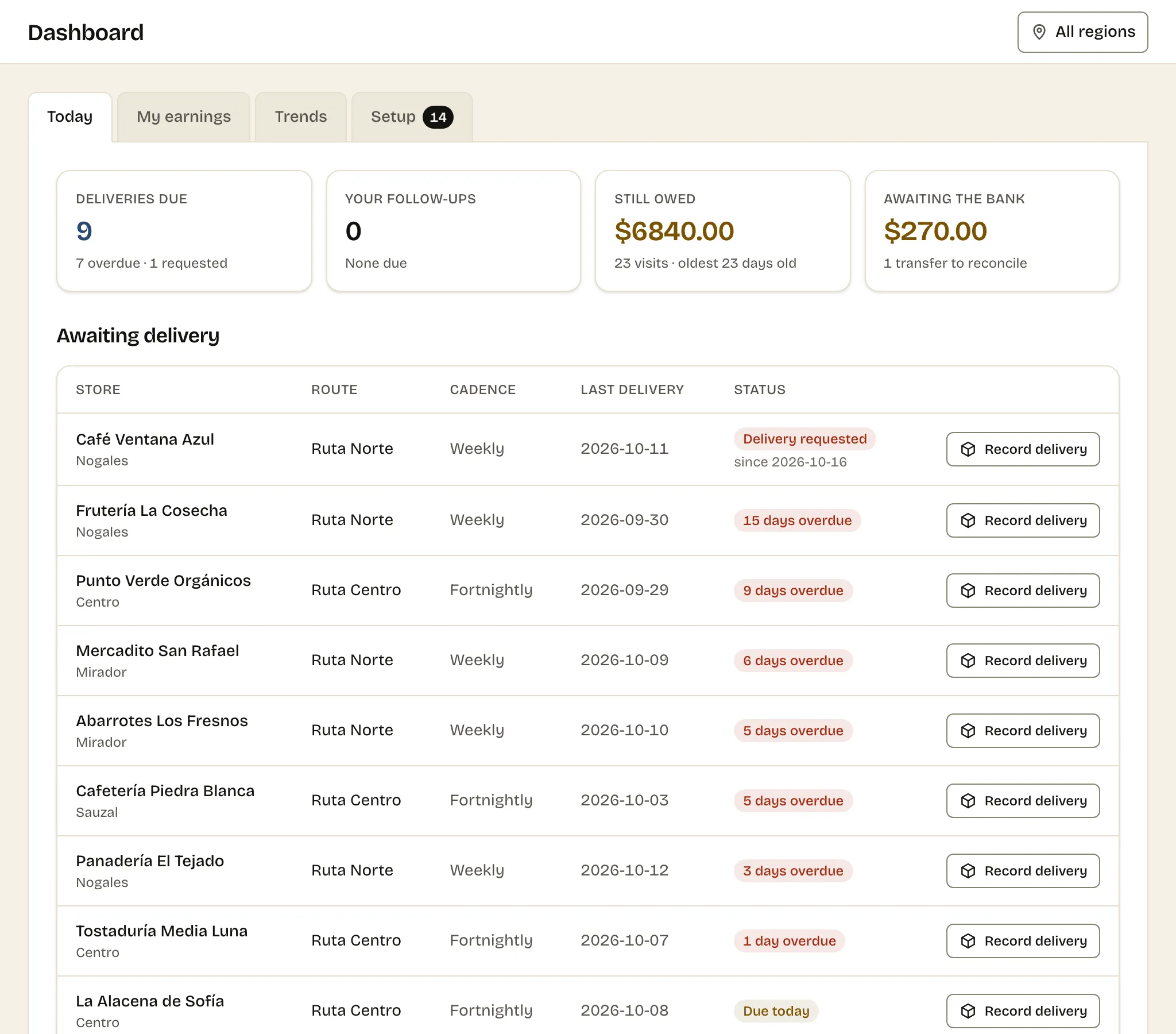
The dashboard opens on today: shops due a visit, follow-ups to make, money still owed and transfers to reconcile. Then trends, and a checklist of gaps.
What you do today
You start the morning by opening four things — the notebook, the bank app, the chat with the shop that owes you, and your memory — and the thing you forget is the one that costs you.
One concrete detail
The Setup tab lists, by name, every active shop that would quietly fall through: on no route so it never comes due, no location for the map, no opening hours, or a product with no sells-per-week so the delivery form cannot suggest how many to leave.
This page targets no search term. It is here because the dashboard is the first thing you see every morning, and what it chooses to show is a decision about what matters.
Today, in four numbers
The first tab answers the morning’s questions and nothing else:
- Deliveries due — how many shops need a visit, how many are overdue, and how many asked.
- Your follow-ups — prospects you promised to call back, today or late.
- Still owed — unpaid visits, and how old the oldest one is.
- Awaiting the bank — transfers a shop says it sent that nobody has confirmed.
Each one opens the list behind it. Zero is a good answer, and it says so: every shop on schedule, everything paid, nothing to reconcile.
Trends, for the end of the week
The second tab is for looking back. Sales by week, invoiced against what was actually collected, so a gap between the two lines is visible as it opens. What is owed, grouped by age, because a balance from last week and one from last quarter are different conversations. The shops that sold most this month. And your runs: how many started each week and what share of their stops were reached.
Setup, for the gaps that make no noise
The Setup tab is a checklist of the ways a shop can drop out of sight without anything going wrong on screen. A shop on no route never comes due. A shop with no location is missing from the map. A shop with no opening hours sends you to a closed door. A product with no weekly sales gives the delivery form nothing to suggest.
None of those is an error, so none of them would ever announce itself. Listed by name, each one is a two-minute fix.
Common questions
- What is on the Today tab?
- Four figures: deliveries due (with how many are overdue or requested), your follow-ups due today or overdue, what is still owed and how old the oldest unpaid visit is, and transfers awaiting the bank.
- What do the trends show?
- Sales by week, invoiced against collected; what is owed, grouped by how old it is; your top shops this month; and how many route runs started each week and what share of their stops were visited.
- Does a Seller see the same dashboard?
- Not quite. A Seller sees the deliveries and follow-ups for the shops they are allowed to see, and a tab with their own earnings. What the business is owed and what is awaiting the bank are for you and your staff.